Bring the fields you have
Upload a CSV and map the columns to names, companies and contact fields. Preview the rows before importing.

Bring your CSV. Filter by industry, role, location and company size. Save the prospects that fit and export your selection.
Create a private workspace to import. No payment required.
Work with your own CSV today. Imported details are not verified; sample search uses fictional records. Licensed discovery and CRM sync are not live.
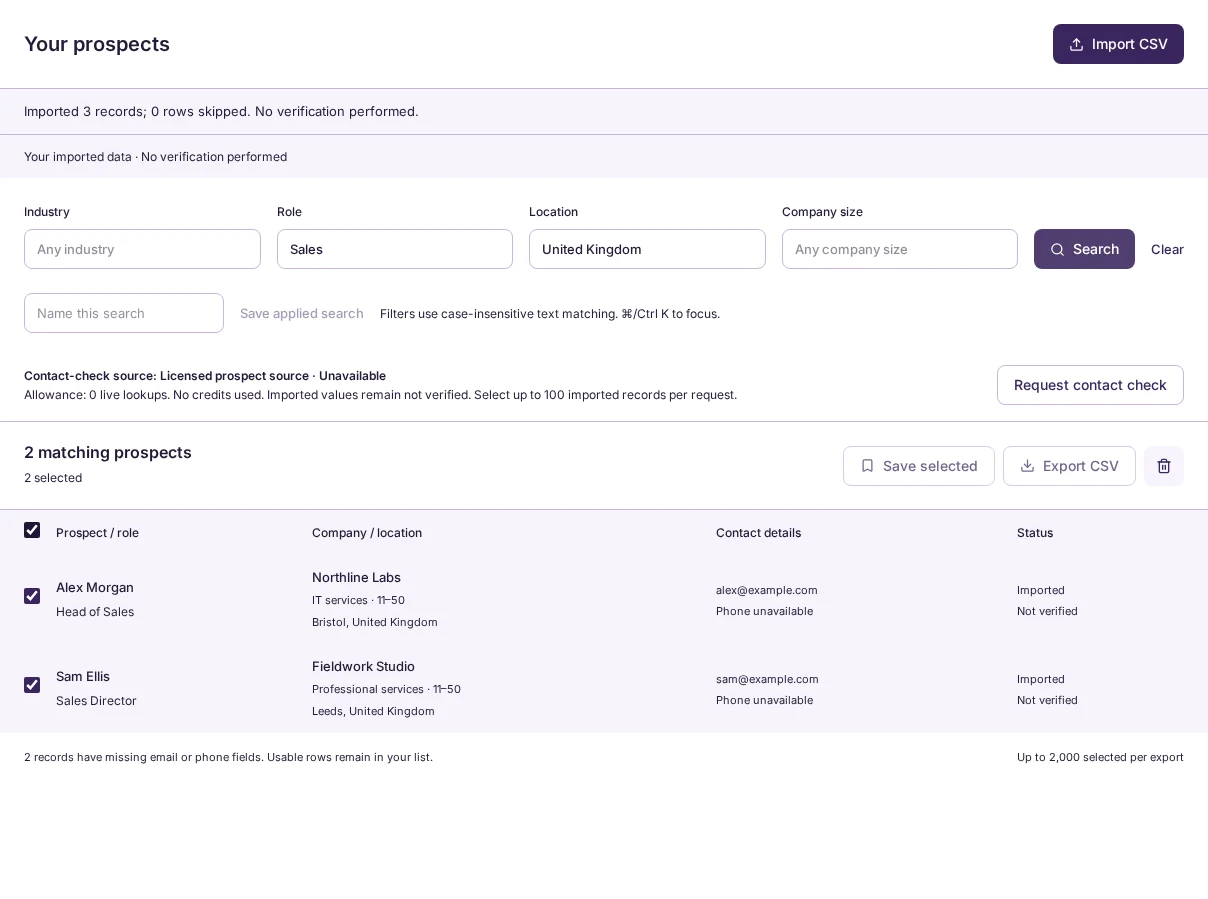
Map your CSV columns, review matching records and keep the useful ones. Missing contact fields stay visible.
Free to try. No email or credit card needed.
Explore 12 fictional prospects. Try the filters and inspect records before saving a sample shortlist.
| Prospect | Company | Contact availability | Details | |
|---|---|---|---|---|
| Northline LabsSoftware · 11–50London, United Kingdom | Example emailPhone unavailable | |||
| Fieldnote SystemsSoftware · 51–200Manchester, United Kingdom | Example emailExample phone | |||
| Clearpath StudioSoftware · 51–200Austin, United States | Example emailPhone unavailable | |||
| Cedar AdvisoryProfessional services · 11–50Toronto, Canada | Email unavailableExample phone |
Spend less time rebuilding the same target. Keep your selections and filters in one private workspace.
Explore the productUpload a CSV and map the columns to names, companies and contact fields. Preview the rows before importing.
Use industry, role, location and company size to narrow your list. Save a named search to reuse its filters.
Select matching records, save them for later and export your selection as CSV with source and contact status included.
Yes. Create a private workspace, upload a CSV you have the right to use, map its columns and preview the rows. Then filter, save and export your selection. See the full workflow.
Yes. Use all four sample-search filters, inspect matching records and select a shortlist without an email address. Create an account when you save or export.
Which part of preparing a prospect list costs your team the most time? Tell us at nimbra@brainer.one.