Create a private workspace to import. No payment required.
Work with your own CSV today. Imported details are not verified; sample search uses fictional records. Licensed discovery and CRM sync are not live.
Real interface captures using a fictional example CSV, not customer data.
01
Import the list you already have
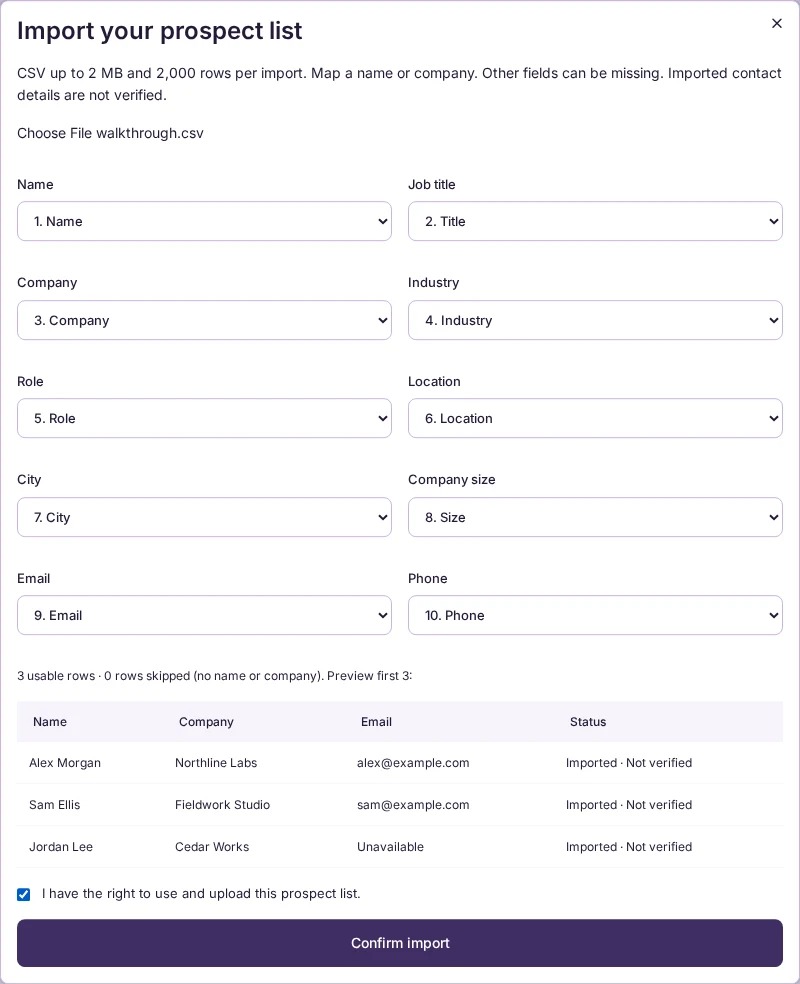
Upload your CSV, map its columns and preview the first rows. A name or company is enough to keep a record; other fields can be missing.
The current upload accepts a CSV up to 2 MB and 2,000 rows. Confirm that you have the right to upload and use the list.
Actual workspace · Column mapping and previewOpen image for full-size detail
02
Filter for the prospects that fit
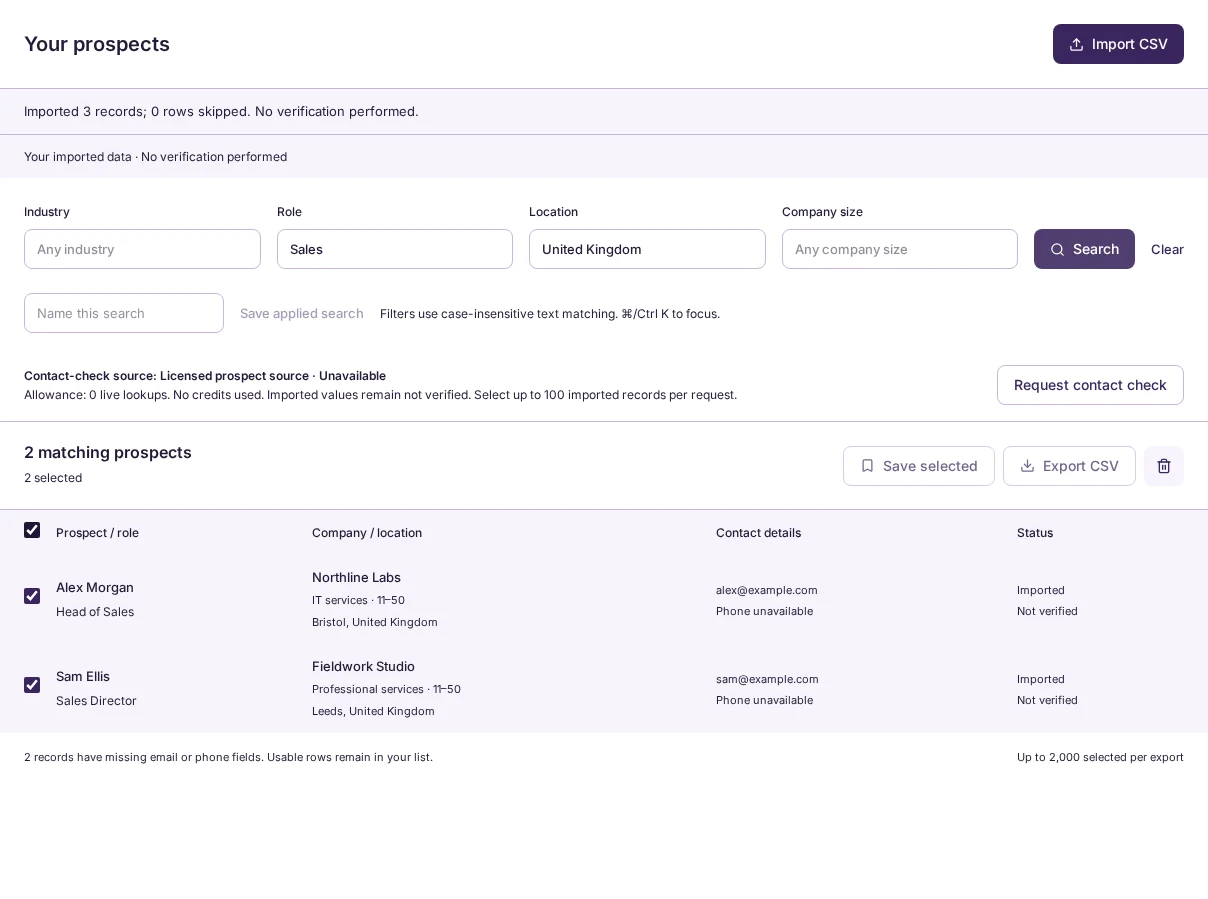
Narrow your imported records by industry, role, location and company size. Filters use case-insensitive text matching. Select the records you want to keep.
Name and save an applied search to reuse its filters. In this example, Sales and United Kingdom return two of the three imported records.
Actual workspace · Filtered imported recordsOpen image for full-size detail
03
Save a shortlist you can return to
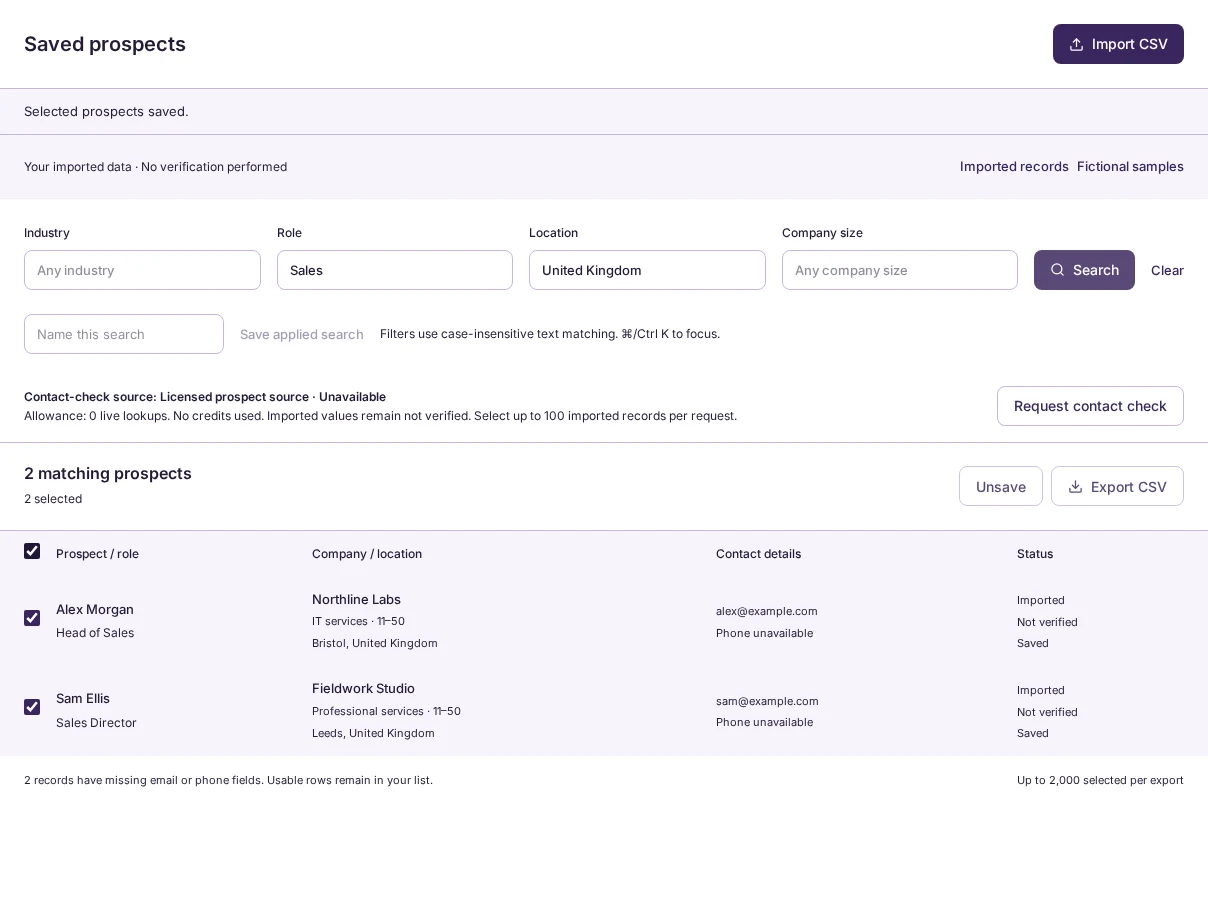
Choose Save selected, then open Saved prospects to review the records you kept. Your selections and named searches stay in your account.
Saved selections from your own imports stay separate from saved fictional samples.
Actual workspace · Saved shortlistOpen image for full-size detail
04
Export the selected records as CSV
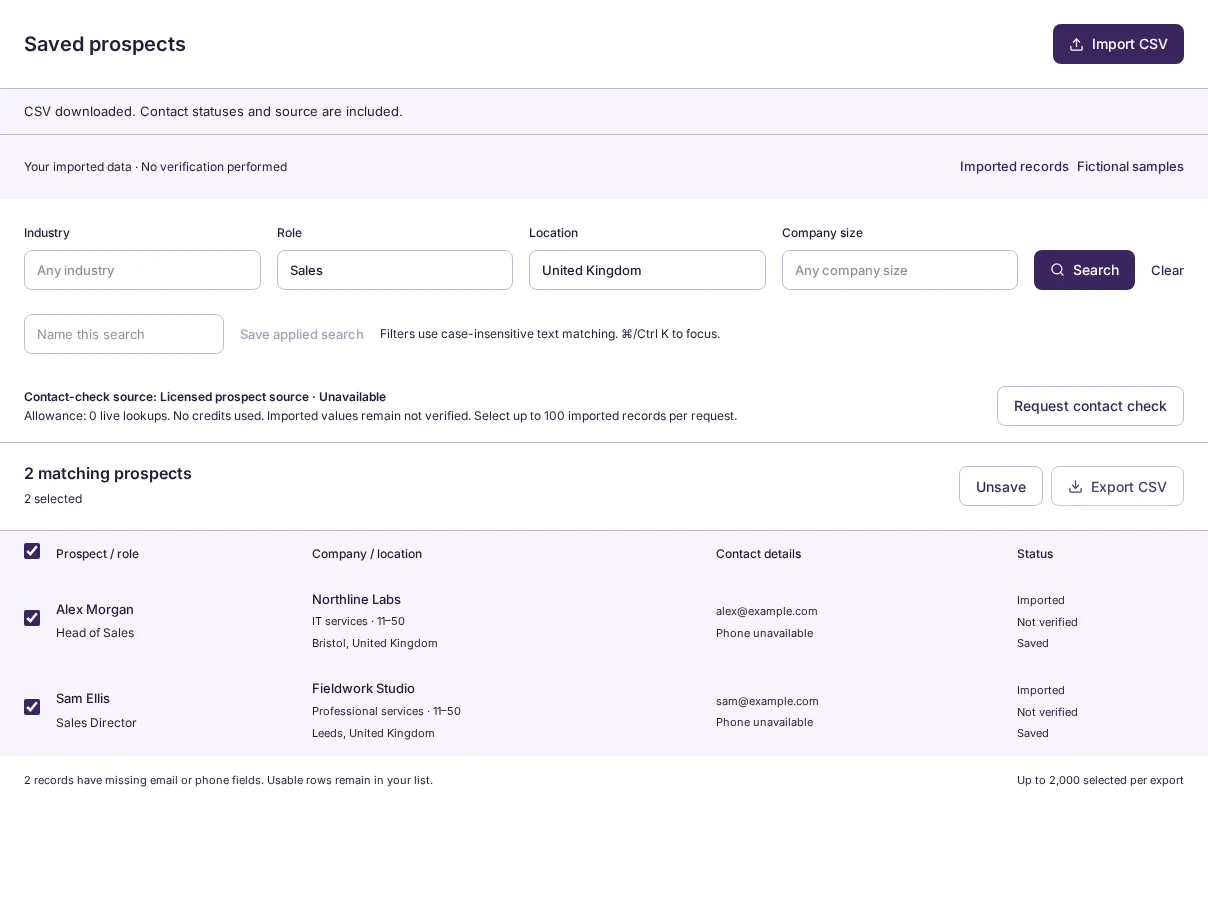
Choose Export CSV to download your selected prospects. The export includes mapped fields, record source and contact status. Missing details remain empty rather than being invented.
The screenshot shows the download confirmation after exporting this example shortlist. CSV is the handoff available today.
Actual workspace · Successful CSV downloadOpen image for full-size detail
Bring your next prospect list.
Map the columns. Find the fit. Keep the shortlist.